From concept to photorealism
we create visualizations that come alive...
You work in CAD Decor PRO or any other design software. The moment you save a textured view of your project to disk — CRS AiRender detects it in the background and creates a client-ready visualization in seconds. No render settings to tweak, no prompts to write.
Same layout, dramatically different impression. The power of photorealism
On the left the working view, on the right a client-ready visualization. Drag the slider.
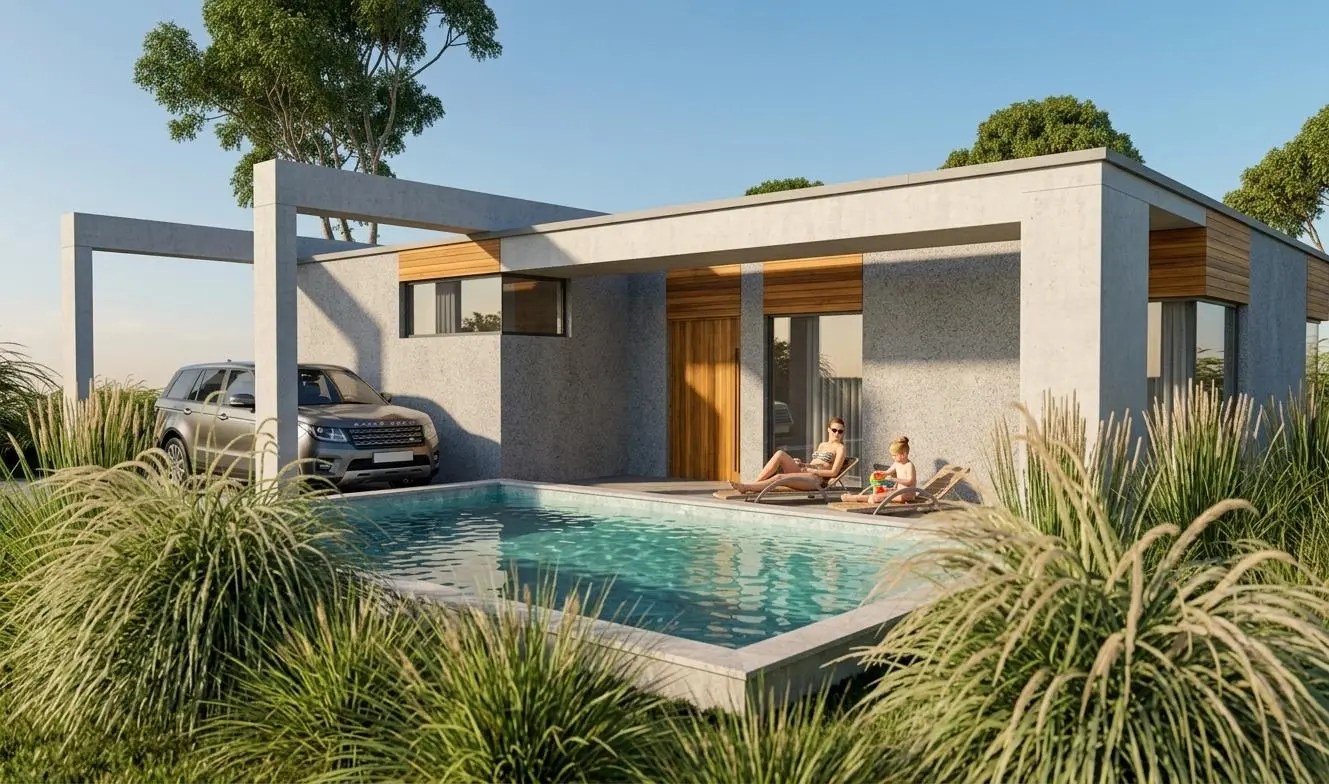
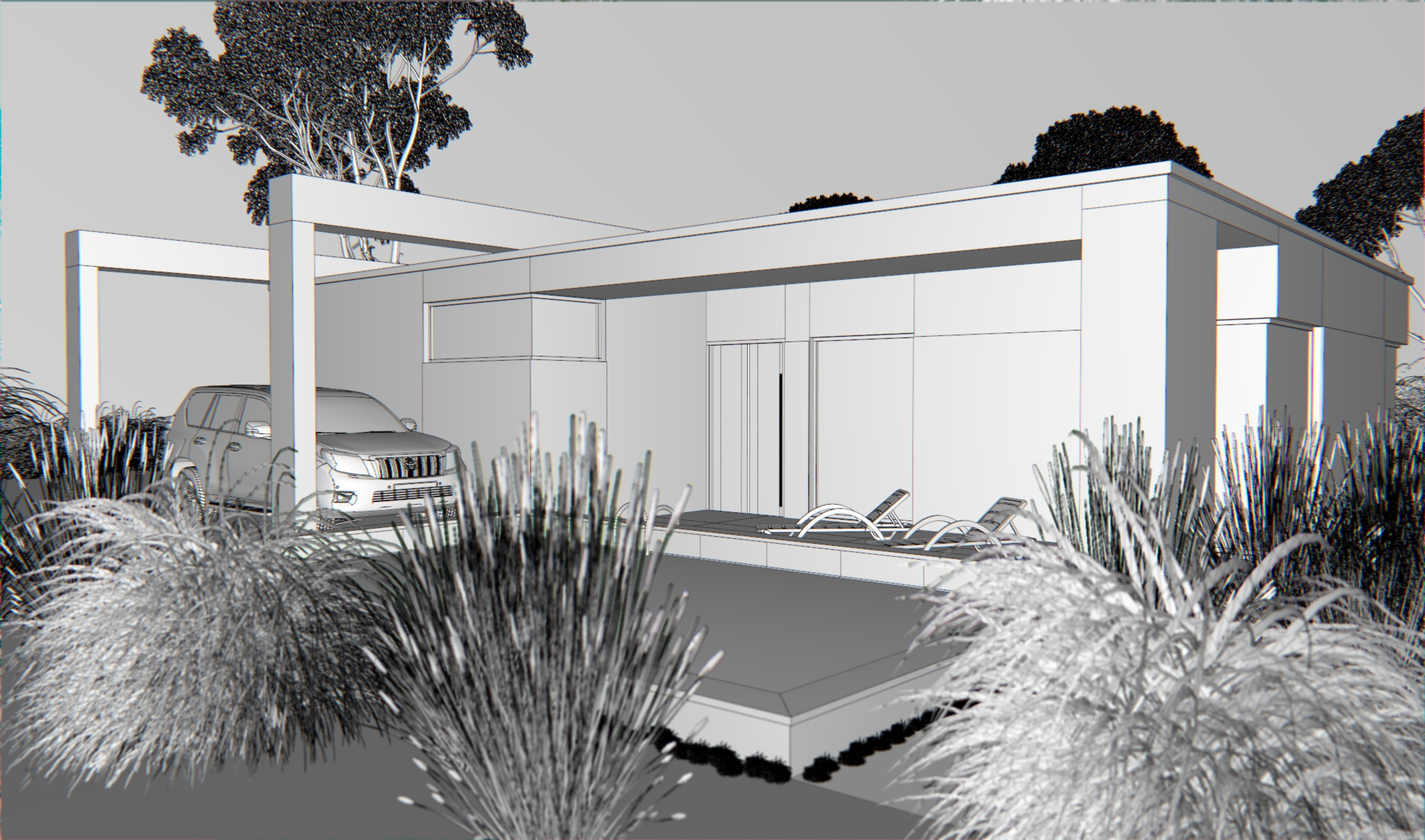 ← Working view from your software
AiRender visualization →
← Working view from your software
AiRender visualization →
How do you generate a visualization?
Three steps — two of which the app performs automatically.
Work in your software as usual
Design in CAD Decor PRO, SketchUp, Archicad, 3ds Max or any other program. Build your room model, apply textures — nothing else to set up. A simple JPG or PNG save of the screen view is all it takes.
The app detects the file — instantly, in the background
CRS AiRender lives in the system tray and monitors your folder. The moment a file is saved, processing starts immediately. No clicking required — the app knows what to do.
A finished visualization in seconds
The AI preserves the geometry, layout and proportions of your design — it swaps materials and adds photorealistic lighting and shadows. Touch up any element or hand it straight to your client.
What can CRS AiRender do?
Designed for the daily work of an interior designer.
Standby mode — watchdog
The app monitors your projects folder in the background. As soon as you save a textured view — it automatically creates a visualization. Zero manual steps.
Works with any design software
CAD Decor PRO, SketchUp, Archicad, Revit, 3ds Max, pCon.planner and more. If your software saves JPG or PNG — CRS AiRender handles it automatically.
Cinematic clips from renders
Turn a render into a short video: pick a camera move (dolly, orbit, walkthrough, close-up) or provide two frames and AI interpolates a smooth transition. MP4 with a link — for presentations and social media (10 credits per clip).
360 panoramas & virtual tours
Host CAD panoramas with us for free — clients look around the interior under a single link. Combine several panoramas into a virtual tour with room-to-room transitions (5 credits, the link never expires).
Fix a selected element
Select any part of the visualization and describe the change. The AI modifies only the selected element — walls, furniture, fabrics — and leaves the rest untouched.
1K, 2K and 4K resolutions
From a quick preview to print- and presentation-ready material. Pick the resolution to match the purpose of the visualization.
Style or furniture reference photo
Attach a photo of a specific piece of furniture, fabric or finished interior as inspiration. The AI reproduces the style, materials and colors of the reference.
Web panel — no installation
Upload an image directly in your browser and collect the visualization. Works on desktop, tablet and phone — nothing to install.
How much does an AI visualization cost?
From 0.5 credit per 1K visualization in Std mode. Credits never expire. 10 free on sign-up — no credit card required.
💎 Pro — Nano Banana Pro, top quality. ⚡ Std — Nano Banana 2.1, best value. 💰 Eco — FLUX 3 Klein, photo-like results. Each package shows how many 1K visualizations its credits buy in every mode.
clients look around with a mouse or touch
MP4 with a link for presentations and social media
the link never expires
Credits never expire. Buy once, use whenever you like. A VAT invoice is issued automatically after every purchase. Payment via Paynow — BLIK, card, instant transfer.
Download the Windows app
Runs in the background, monitors your folder automatically. Windows 10 / 11 · 64-bit.
CRS AiRender
Install once — the app then runs quietly in the system tray. Point it at your projects folder from CAD Decor PRO or any other software, and every saved textured view is automatically turned into a photorealistic visualization. No clicking, no interruptions.
⬇ Download CRS AiRender
Prefer not to install? Open the web app →
Render directly in your browser — on any device.
Frequently asked questions
Which design programs can I use?
Do I need to render in my CAD software?
How does the automatic mode (watchdog) work?
Does the AI change geometry, furniture layout or project dimensions?
How long does it take to generate a visualization?
Can I use the generated visualizations commercially?
Try the interior visualization
generator for free.
Create a free account and generate your first visualization.
10 credits free — no credit card required.